Video Section
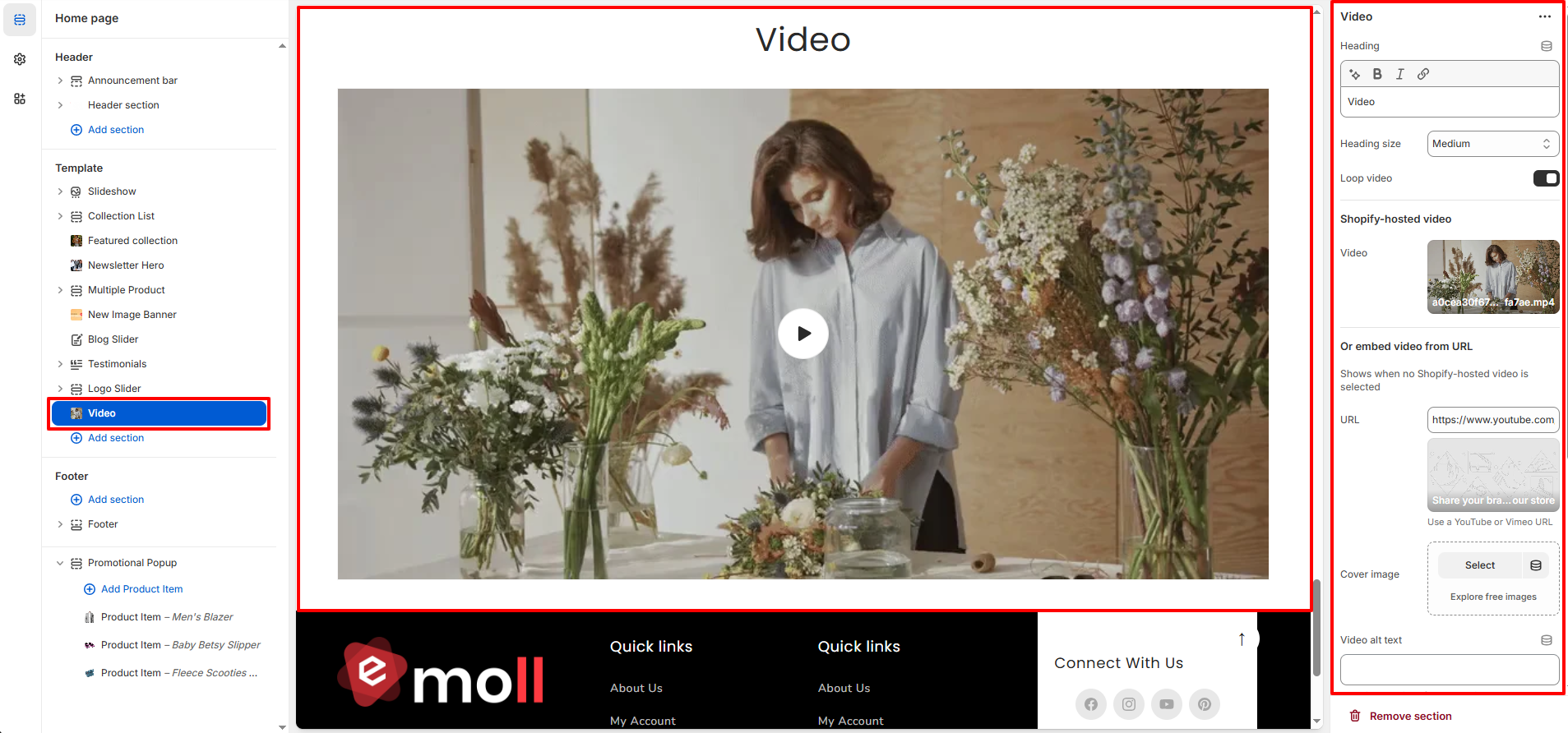
The Video section allows you to showcase a promotional, brand story, campaign, or product-focused video directly on your homepage. You can upload a Shopify-hosted video or embed a video from platforms like YouTube or Vimeo.
1. Video Section Settings
These settings control the content, layout, and appearance of the Video section.
Content Settings
- Heading: Add a title for the video section (e.g., Our Story, Behind the Brand, Campaign Video).
- Heading Size: Choose the size of the section heading (Small, Medium, Large).
- Loop Video: Enable this option to automatically replay the video after it ends.
Video Source Options
- Shopify-Hosted Video: Upload a video file directly to Shopify for optimized performance.
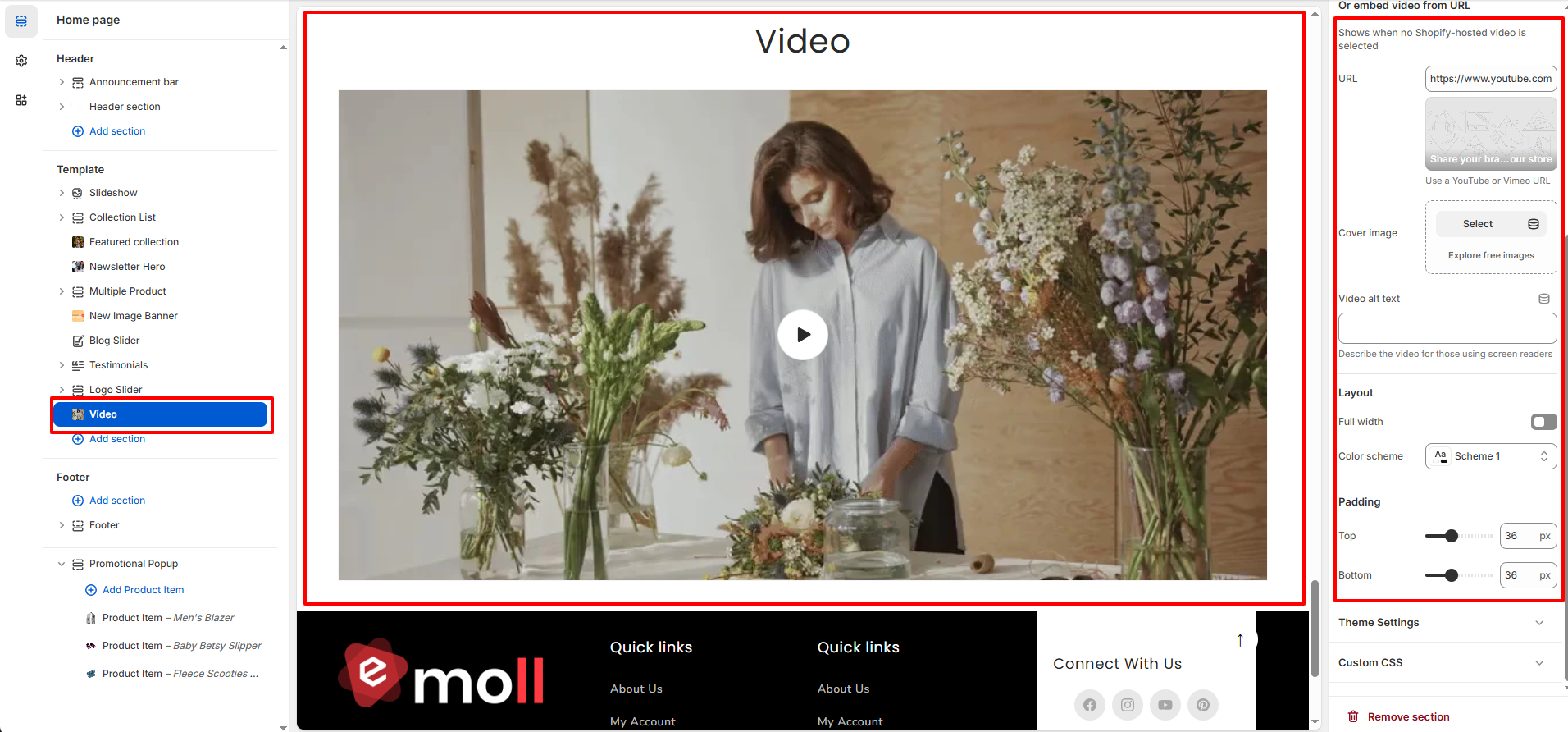
- Embed Video from URL: Paste a YouTube or Vimeo video link if you prefer external hosting.
- Cover Image: Select a custom thumbnail image displayed before the video plays.
- Video Alt Text: Add descriptive text for accessibility and screen readers.
Layout Settings
- Full Width: Enable to stretch the video across the full width of the screen.
- Color Scheme: Select a predefined theme color scheme for the section background and text.
Spacing Settings
- Top Padding: Adjust the spacing above the section.
- Bottom Padding: Adjust the spacing below the section.