
Announcement Bar
Follow these steps to configure and manage the Announcement Bar in your Emoll Shopify theme:
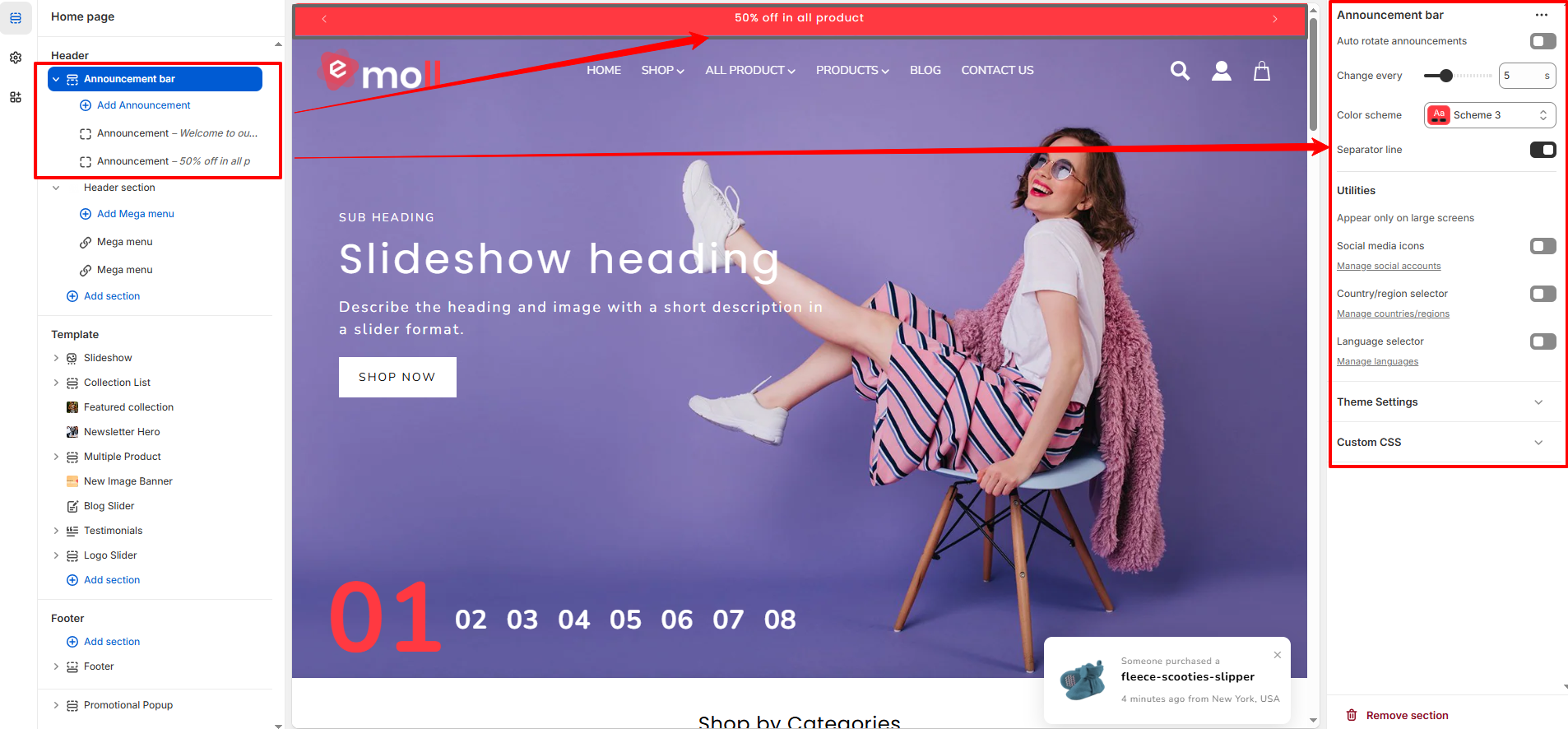
1. Access the Announcement Bar Settings
- Log in to your Shopify Admin Dashboard.
- Go to Online Store ? Themes.
- Click on Customize for your active theme.
- In the left sidebar,locate announcement bar section
- Click on Announcement Bar.
2. Add or Edit Announcements
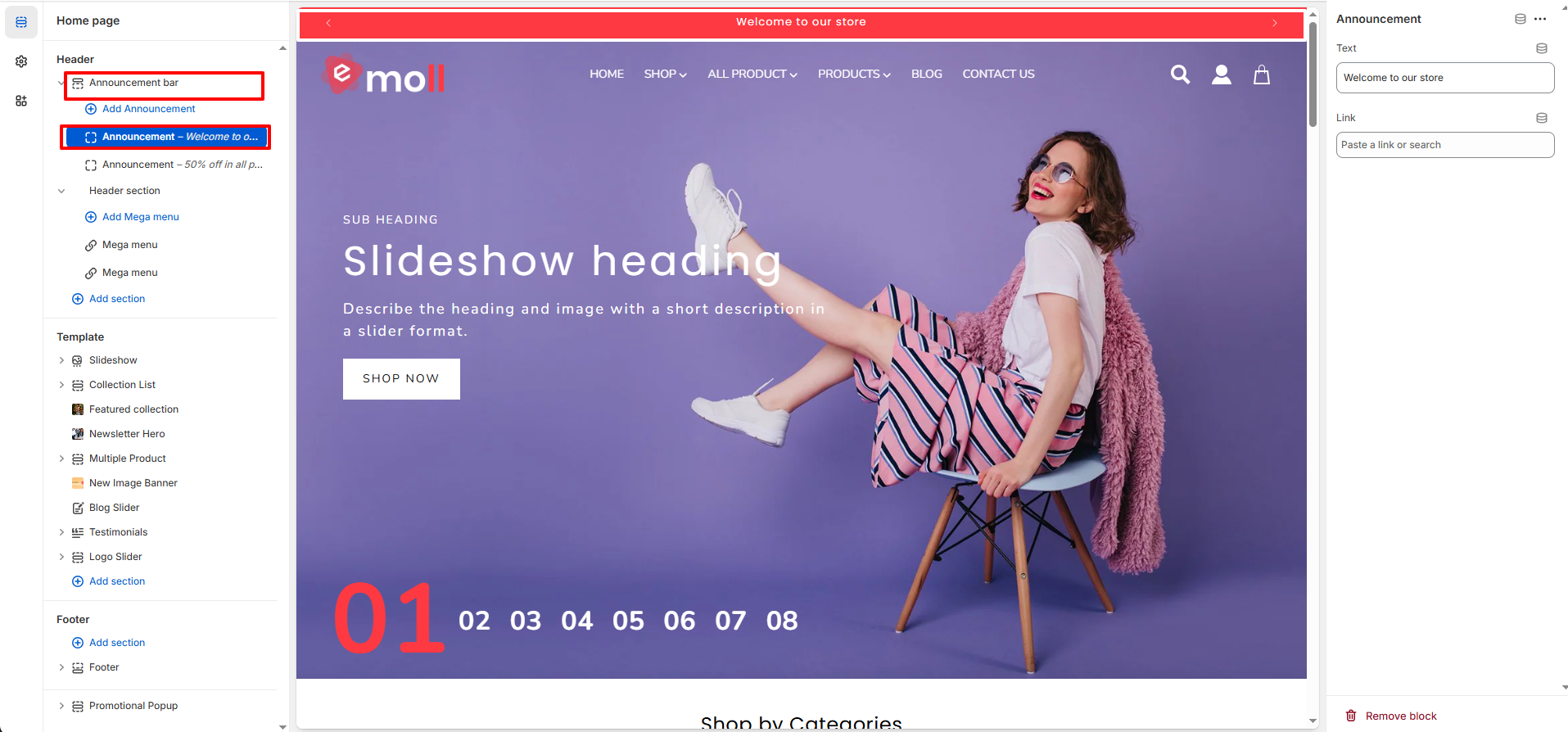
- Click Add Announcement to create a new message.
- Enter your announcement text (e.g., “50% off in all products”).
- You can create multiple announcements as needed.
- Reorder or remove announcements anytime.
3. Configure Announcement Bar Settings
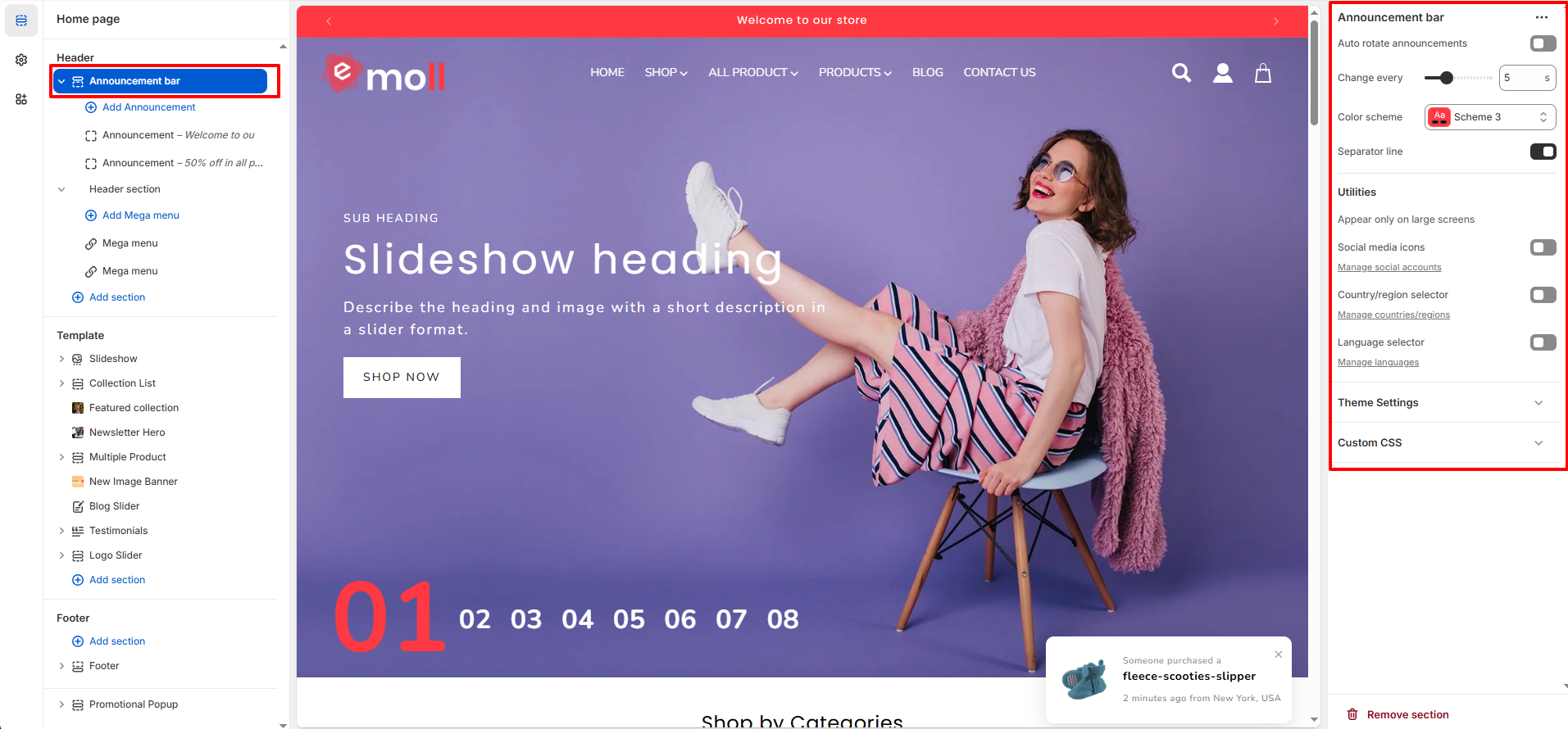
- Auto Rotate Announcements: Enable this option to automatically rotate between multiple announcements.
- Change Every: Set the rotation time (for example, every 5 seconds).
- Color Scheme: Choose a color scheme (e.g., Scheme 3) to control background and text colors.
- Separator Line: Enable or disable the separator line below the announcement bar.
4. Utilities Options
- Social Media Icons: Toggle to display social icons in the announcement bar.
- Country/Region Selector: Enable to allow customers to select their country or region.
- Language Selector: Enable to allow customers to switch store languages.
- Note:Utilities appear only on Large Screens: