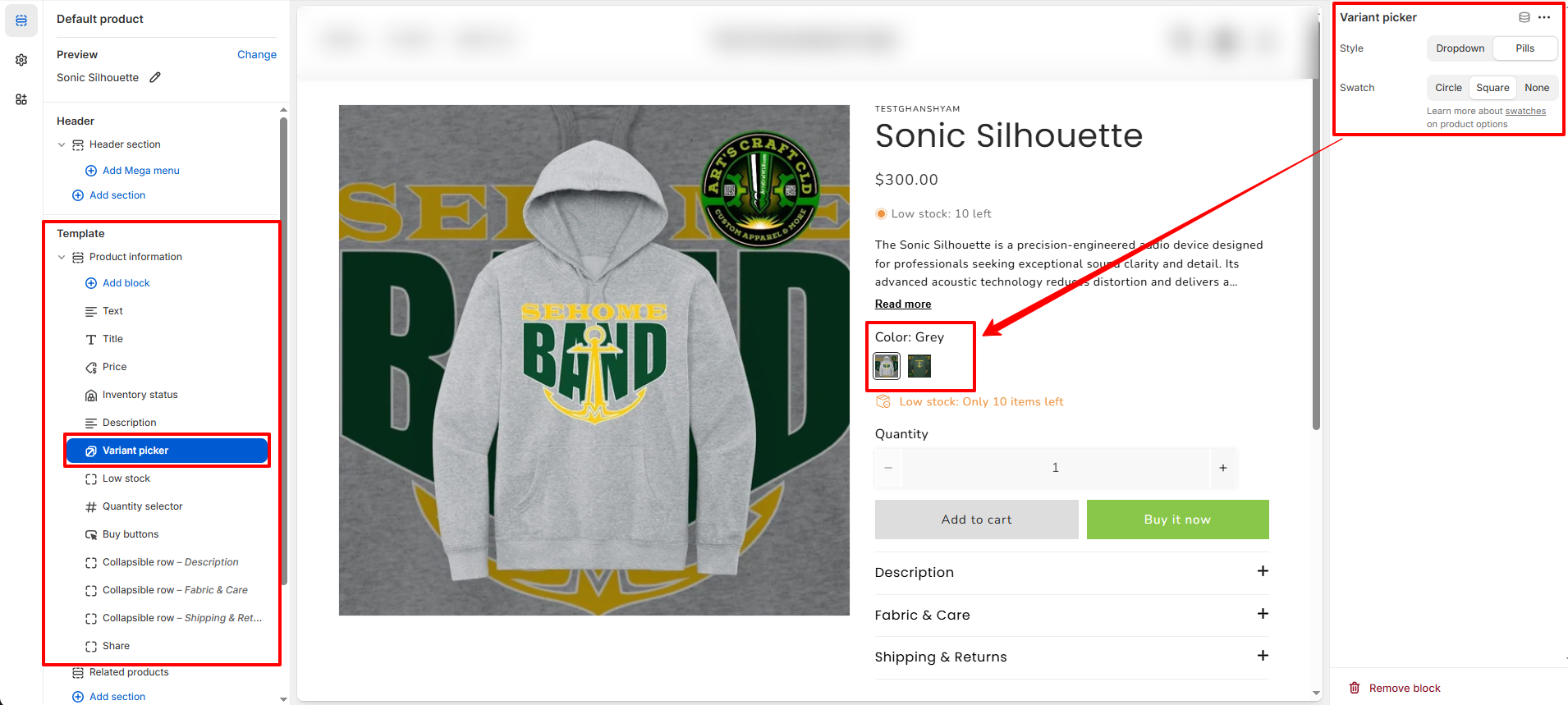
How to Showcase Product Color Swatches
Emoll color swatches display all available product colors clearly and visually. They improve the shopping experience by making color selection faster, easier, and more interactive for customers.
1. Assign a Product Category
Shopify enables category metafields (such as Color and Size) only after a product has an assigned category.
- From your Shopify admin, go to Products.
- Click the product you want to edit.
- In the Category section, click Browse categories.
- Select a relevant category.
- Click Save.
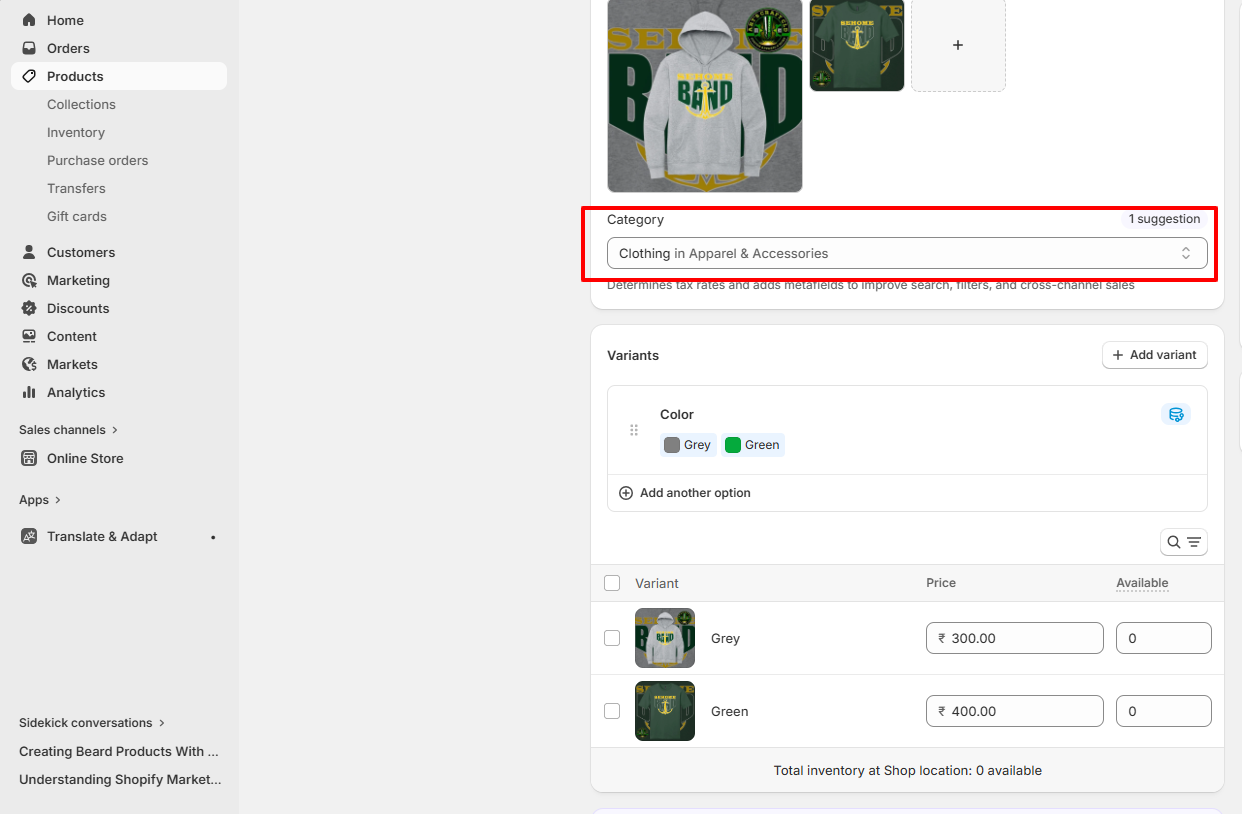
? Important: Only products with assigned categories can use category metafields.
2. Configure the Color Metafield
After assigning a category, configure the available values for the Color metafield.
- From Shopify admin, go to Settings ? Custom data ? Categories.
- Click the category you assigned earlier.
- Locate the Color metafield and click Manage entries.
- Add new color entries:
- Enter a color name (e.g., Red, Blue).
- Optionally upload a swatch image or enter a color hex code (e.g., #FF0000).
- Click Save.
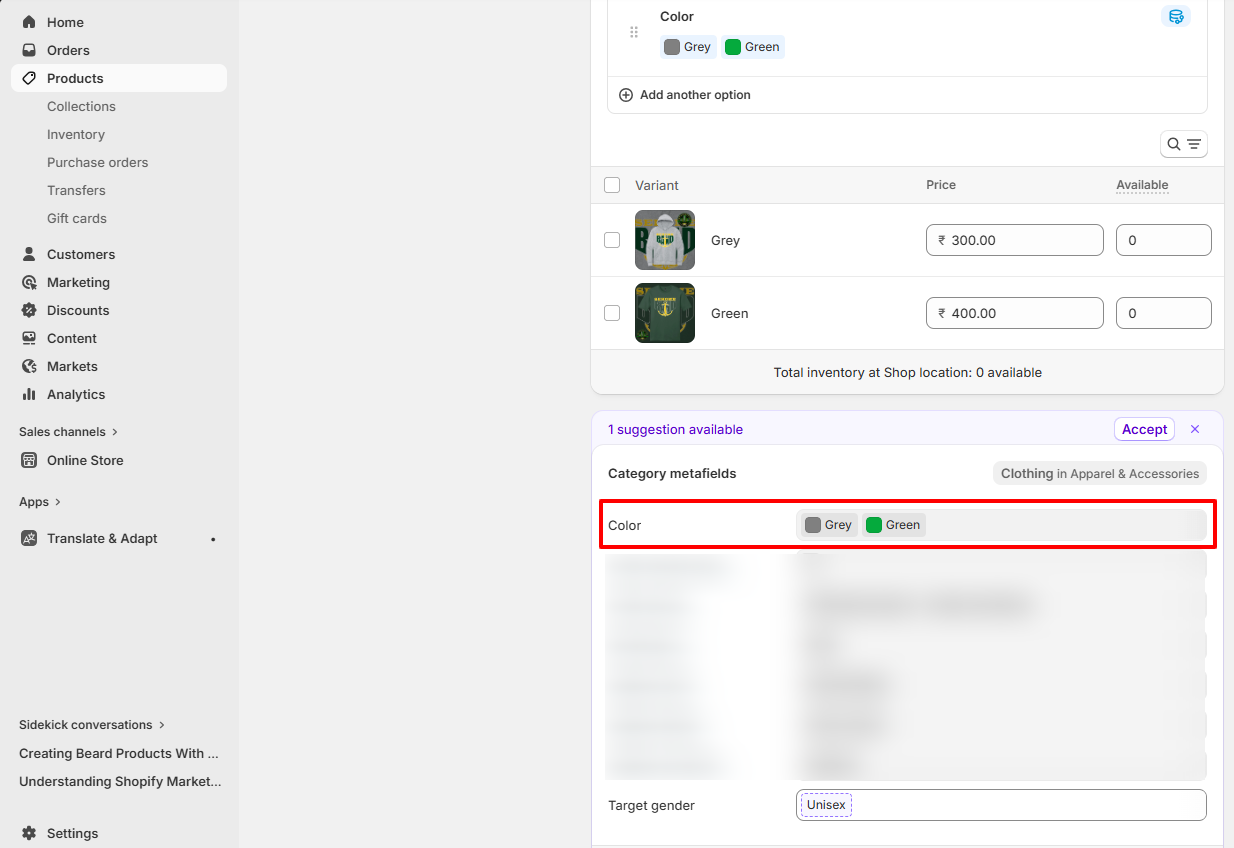
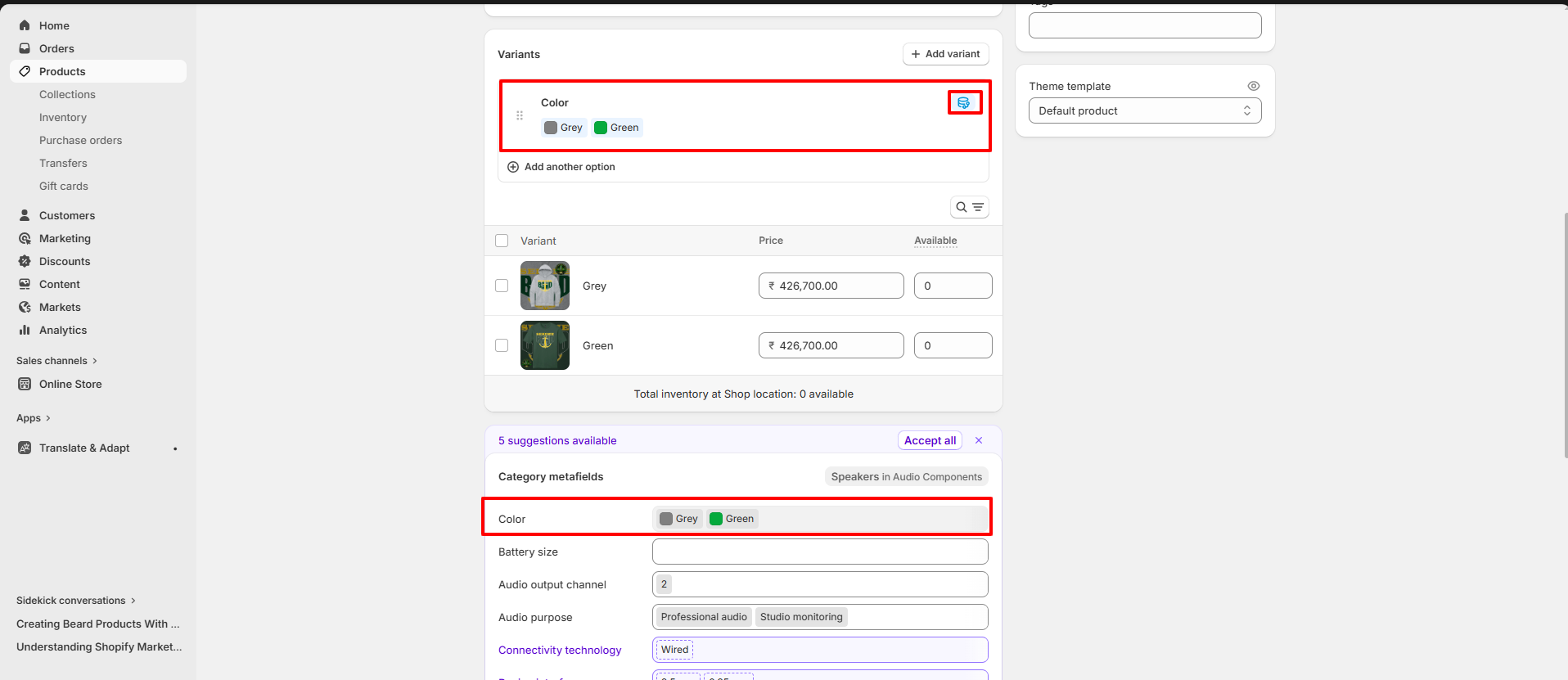
3. Connect the Color Metafield to Variant Options
Now link your product�s Color option to the configured metafield.
- Open your product from the Products section.
- Under Variants, click Add options like size or color.
- In Option name, type Color.
- Click the dynamic source icon (??).
- Select the Color category metafield.
- Assign each variant the correct metafield entry (e.g.,Grey,Green).
- Click Done and then Save.
4. Set Up Swatch Shape in Emoll Theme
You can configure the swatch shape for variants in product.
- Go to Online Store ? Themes.
- Click Customize on the Emoll theme.
- Select the product
- In the left sidebar, click Product Information.
- Select the Variant Picker block.
- Under Variant Picker settings, choose your preferred swatch shape:
- Circle � Displays circular color swatches.
- Square � Displays square color swatches.
- Default � Uses the theme�s default swatch styling.
- Click Save to apply the changes.
Read more about adding color swatches using category metafields
? Note: Swatch shape settings in Emoll are controlled per product template via the Variant Picker block.