Multi Promotion Featured Section
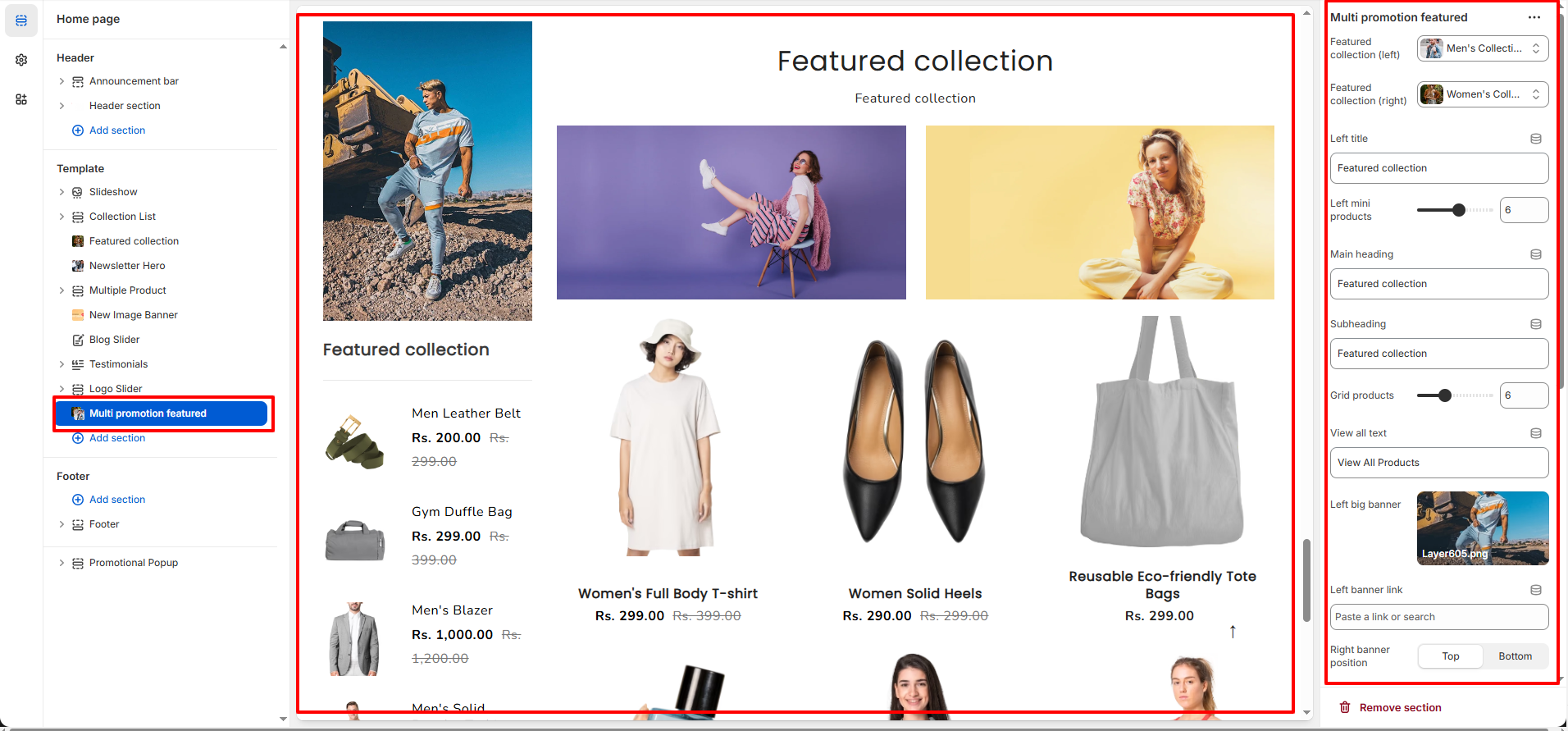
The Multi Promotion Featured section allows you to showcase two selected collections along with promotional banners in a structured layout. This section is ideal for highlighting men�s and women�s collections, seasonal campaigns, special offers, or category-based promotions directly on the homepage.
1. Multi Promotion Featured Section Settings
These settings apply to the entire Multi Promotion Featured section.
Collection Settings
- Featured Collection (Left): Select the collection displayed on the left side.
- Featured Collection (Right): Select the collection displayed on the right side.
- Left Title: Set the title displayed above the left collection.
- Left Mini Products: Control the number of small products displayed under the left banner.
- Main Heading: Enter the main section heading.
- Subheading: Add a short description or supporting text below the main heading.
- Grid Products: Control how many products are displayed in the main product grid.
- View All Text: Customize the �View All� button label.
Banner Settings
- Left Big Banner: Upload the large promotional banner displayed on the left side.
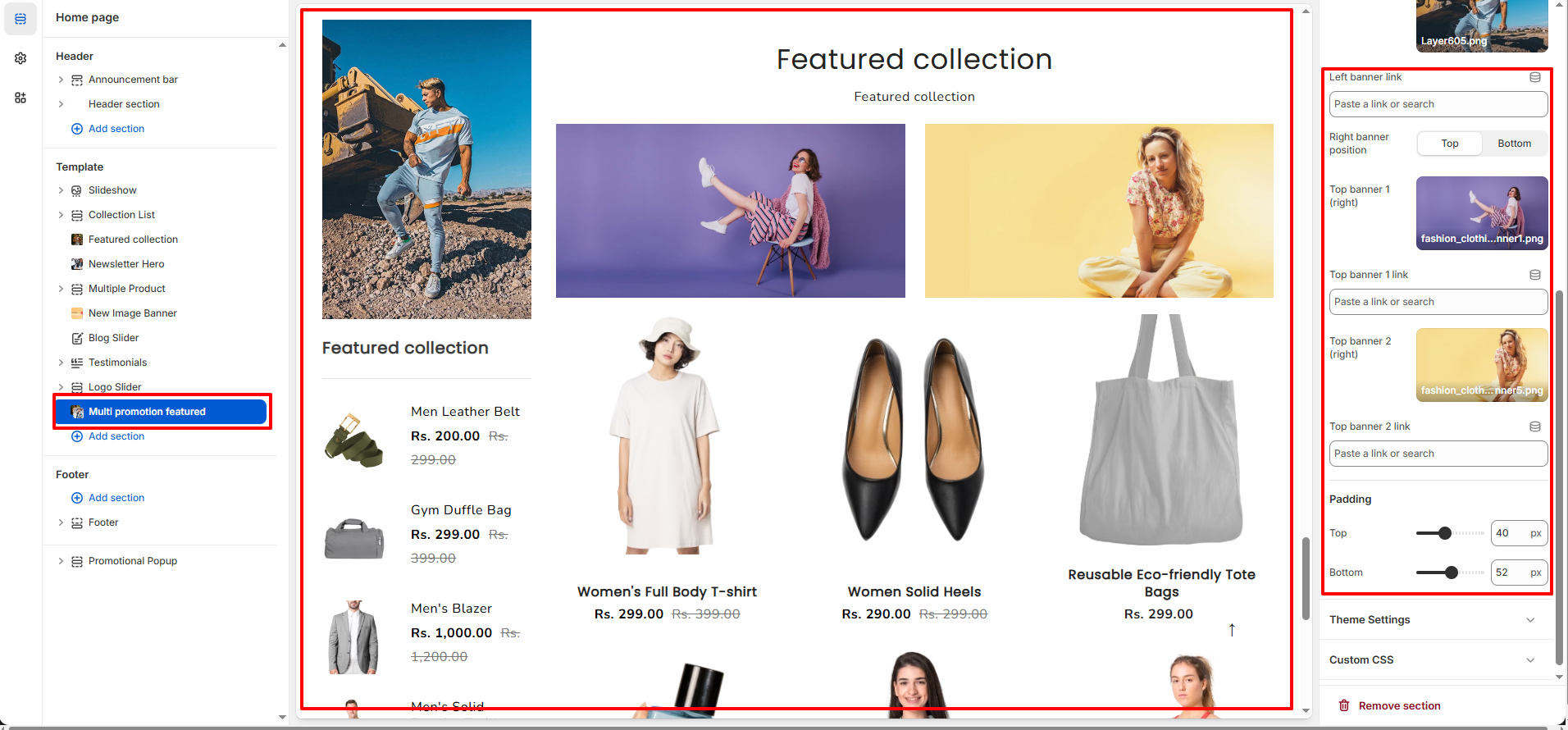
- Left Banner Link: Add a link to redirect users when clicking the left banner.
- Right Banner Position: Choose whether the right-side banners appear at the Top or Bottom.
- Top Banner 1 (Right): Upload the first promotional banner on the right side.
- Top Banner 1 Link: Add a redirect link for the first right banner.
- Top Banner 2 (Right): Upload the second promotional banner on the right side.
- Top Banner 2 Link: Add a redirect link for the second right banner.
Layout & Display Settings
- Product Grid Layout: Products are displayed in a structured grid format for a clean and organized look.
- Responsive Design: The section automatically adjusts for tablet and mobile devices.
Spacing Settings
- Top Padding: Adjust the spacing above the section.
- Bottom Padding: Adjust the spacing below the section.