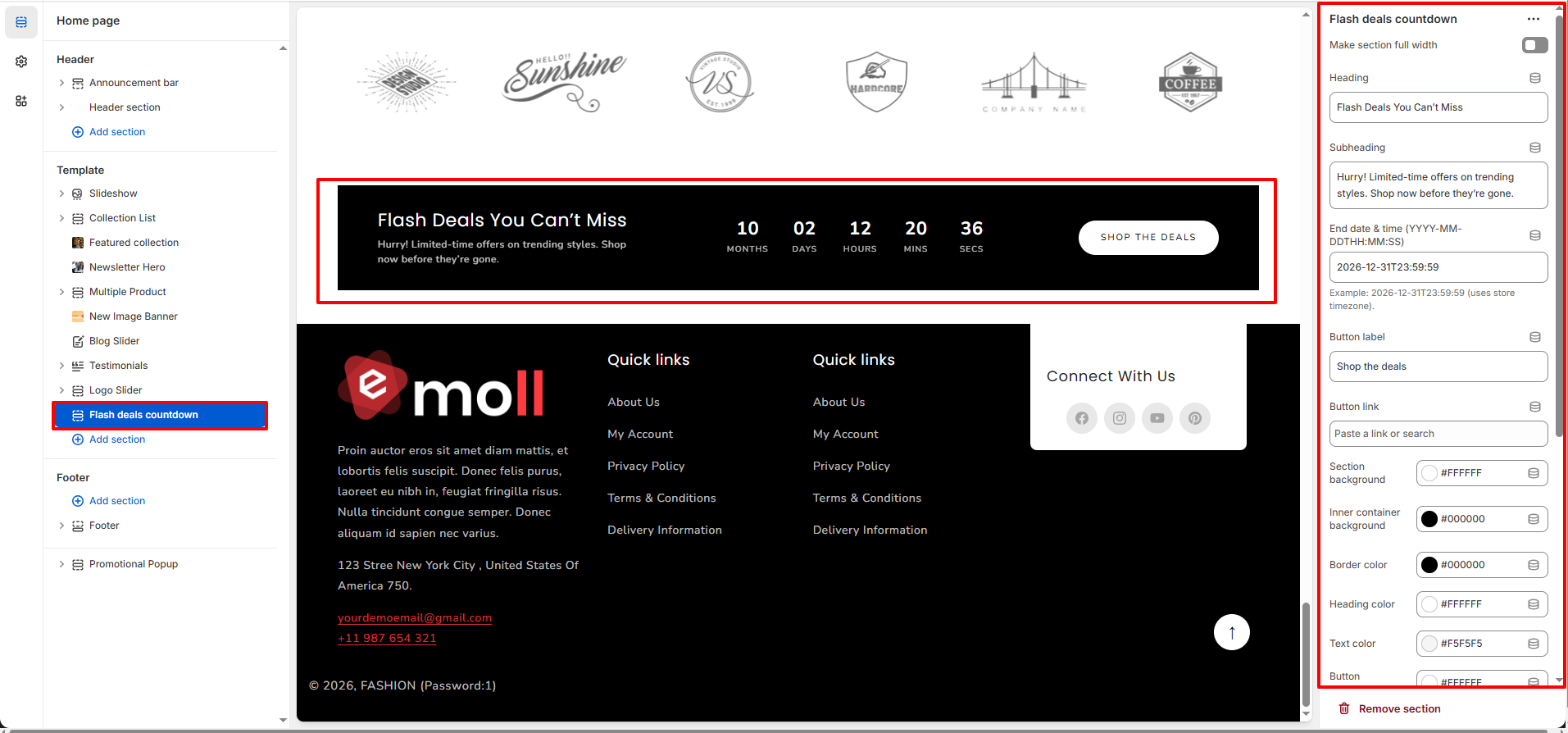
Flash Deals Countdown Section
The Flash Deals Countdown section allows you to promote limited-time offers with a live countdown timer. This section is perfect for highlighting seasonal sales, promotional campaigns, or exclusive time-sensitive discounts to create urgency and increase conversions.
1. Flash Deals Countdown Section Settings
These settings apply to the entire Flash Deals Countdown section.
Layout Settings
- Make Section Full Width: Enable this option to stretch the section across the full screen width.
By default layout has container width
Content Settings
- Heading: Enter the main title for the promotion (e.g., Flash Deals You Can�t Miss).
- Subheading: Add a short description to support the heading and explain the offer.
- End Date & Time (YYYY-MM-DDTHH:MM:SS): Set the exact date and time when the countdown will end. The timer will automatically calculate and display remaining time.
- Button Label: Customize the text of the promotional button (e.g., Shop the Deals).
- Button Link: Add a link to redirect users to a specific collection, product page, or promotional landing page.
Color Settings
- Section Background: Set the outer background color of the section.
- Inner Container Background: Control the background color of the content container.
- Border Color: Set the border color around the inner container.
- Heading Color: Adjust the color of the main heading text.
- Text Color: Control the color of the subheading and countdown labels.
- Button Background: Set the background color of the call-to-action button.
- Button Text Color: Adjust the text color inside the button.
Section Spacing (Desktop)
- Top Padding (Desktop): Adjust the space above the section for desktop devices.
- Bottom Padding (Desktop): Adjust the space below the section for desktop devices.
Section Spacing (Mobile)
- Top Padding (Mobile): Control the top spacing for mobile devices.
- Bottom Padding (Mobile): Control the bottom spacing for mobile devices.