New Image Banner
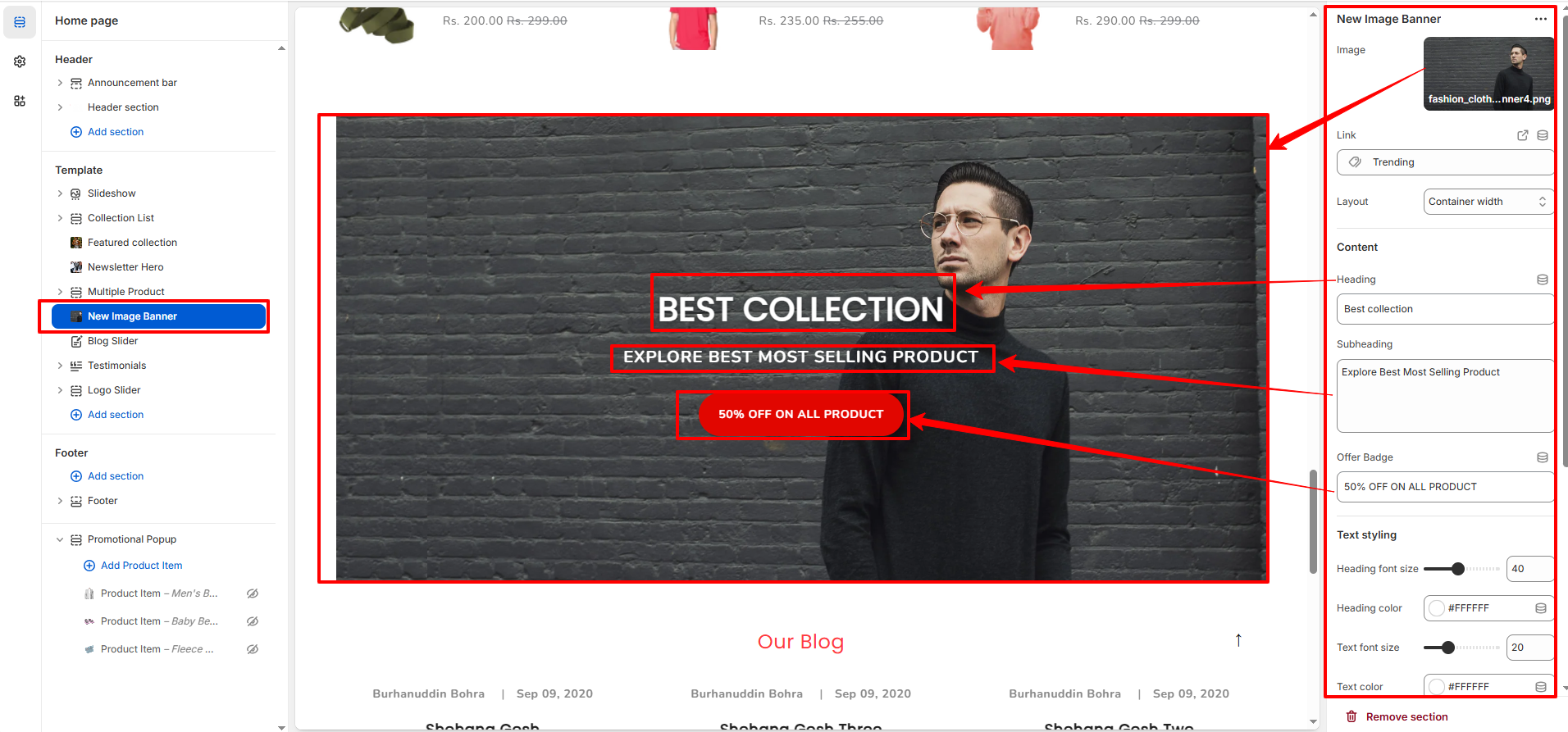
The New Image Banner section allows you to display a promotional banner with image, text content, and offer badge. It is ideal for highlighting seasonal sales, special discounts, or featured campaigns.
1. New Image Banner Section Settings
These settings apply to the entire Image Banner section.
- Image: Upload the main banner image that will be displayed.
- Link: Add a link to redirect users when they click the banner.
- Layout: Choose between full-width or container-width layout.
- Heading: Add the main promotional title text.
- Subheading: Add supporting text below the heading.
- Offer Badge: Add short promotional text (e.g., $699, 50% OFF).
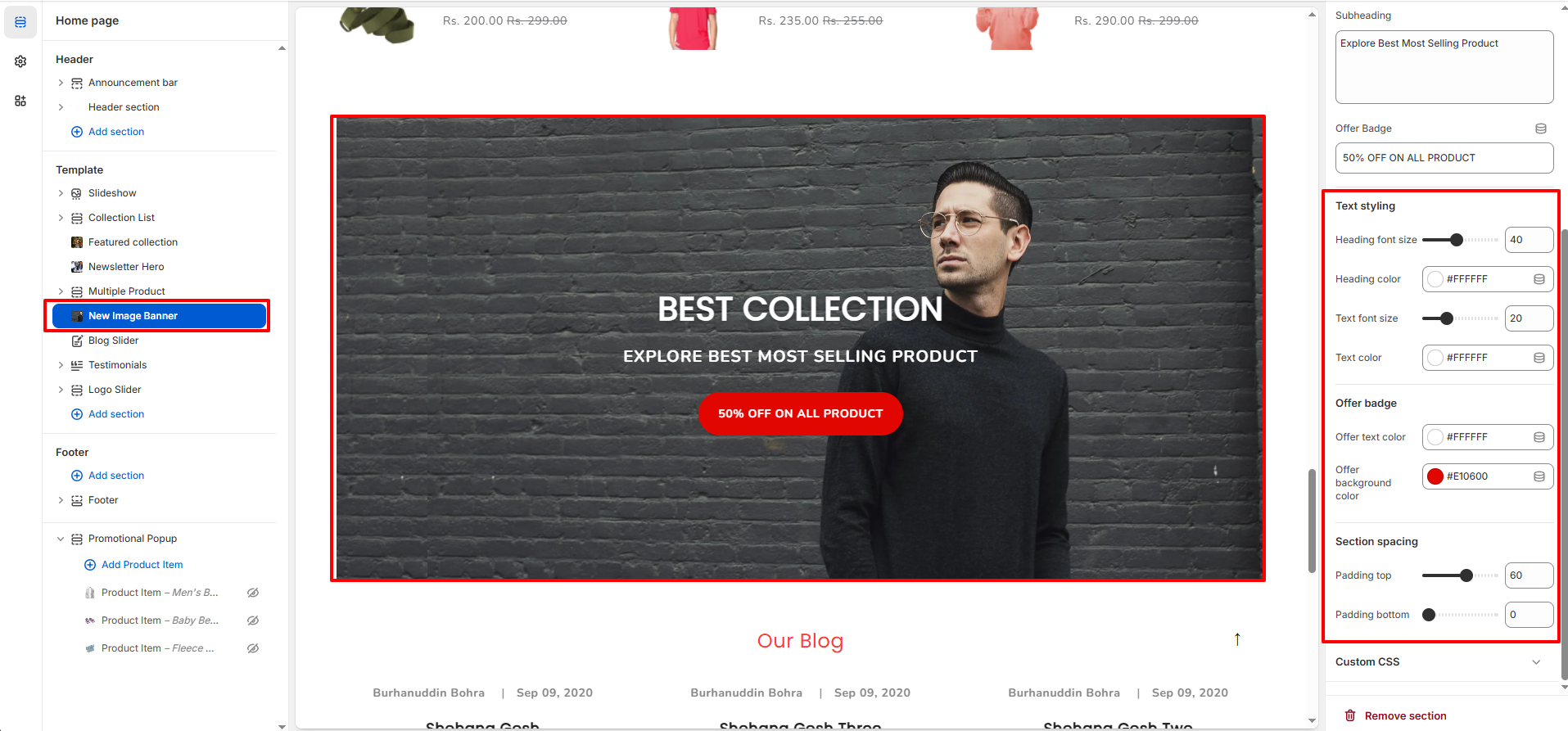
Text Styling
- Heading Font Size: Adjust heading text size.
- Heading Color: Set heading text color.
- Text Font Size: Adjust subheading size.
- Text Color: Set subheading color.
Offer Badge Styling
- Offer Text Color: Change badge text color.
- Offer Background Color: Change badge background color.