
Announcement Bar
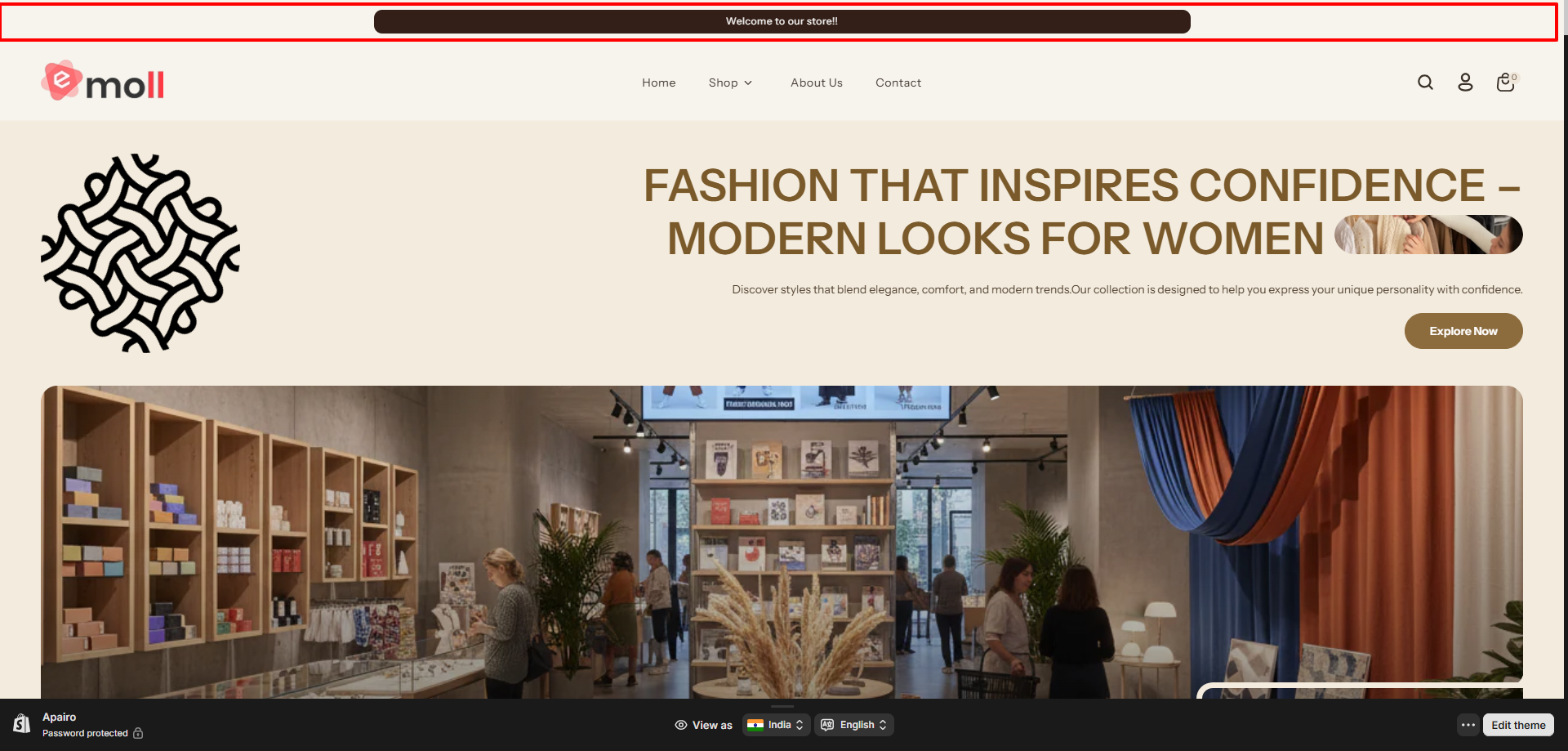
The Announcement Bar allows you to display important messages at the top of your store such as promotions, shipping offers, or special notices.
1. About the Announcement Bar
- The Announcement Bar appears at the top of your store above the header.
- It is used to highlight promotions, announcements, shipping offers, or store updates.
- This bar helps communicate important messages to visitors without interrupting their shopping experience.
- You can display a single message or multiple announcements depending on your store needs.
2. Access the Announcement Bar Settings
- Log in to your Shopify Admin Dashboard.
- Navigate to Online Store ? Themes.
- Click Customize on your active theme.
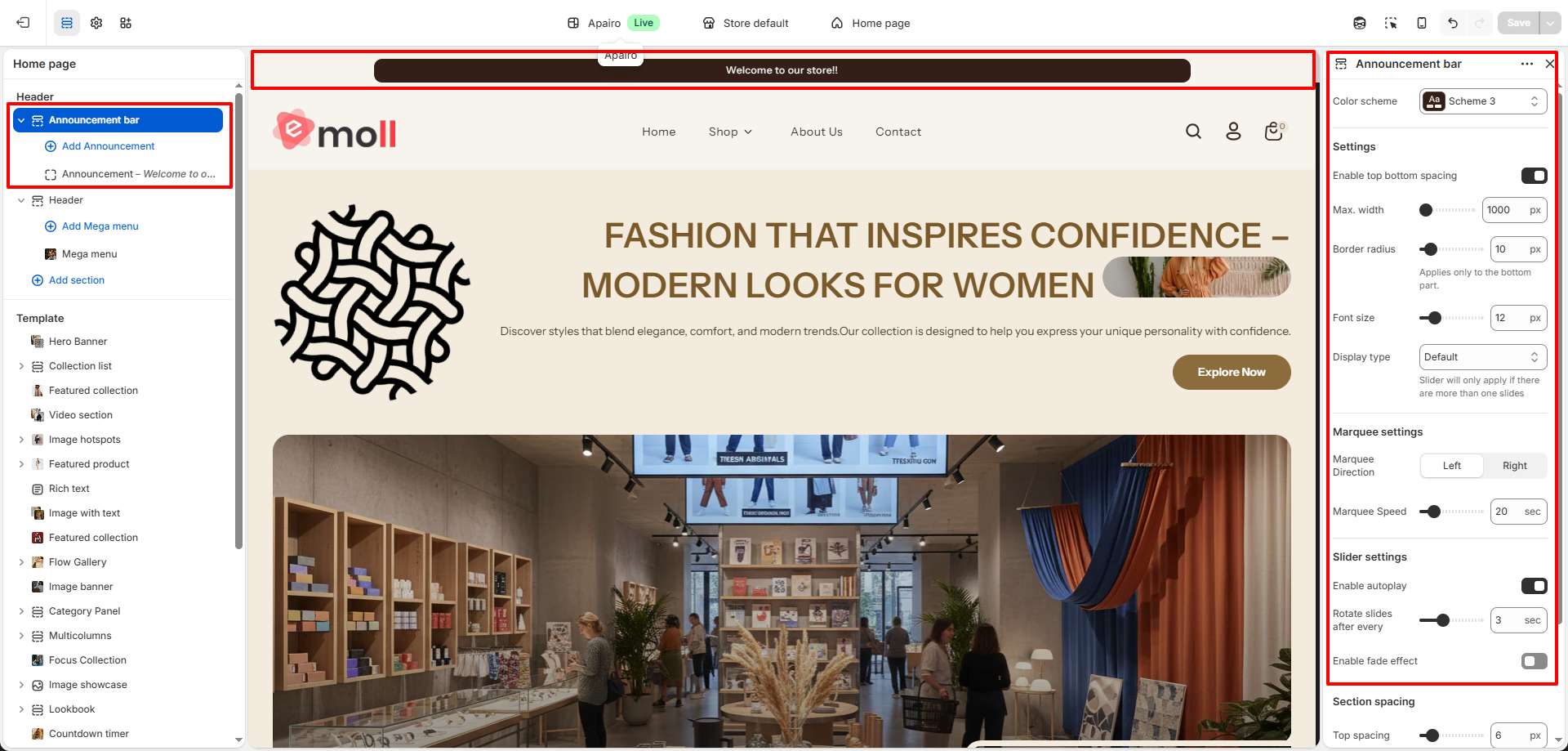
- In the theme editor sidebar, select the Announcement Bar section.
- Adjust the available settings according to your requirements.
- Click Save after making changes.
3. Announcement Bar Settings
- Enable Top & Bottom Spacing: Adds extra space above and below the announcement bar.
- Max Width: Controls the maximum width of the announcement bar container.
- Border Radius: Allows you to round the bottom corners of the announcement bar.
- Font Size: Adjust the size of the announcement text.
- Display Type: Choose how announcements appear.
- Slider Mode: Displays announcements as sliding messages.
- Enable Autoplay: Automatically rotates announcement slides.
- Rotate Slides After Every: Set the delay between slide changes.
- Enable Fade Effect: Adds a fade transition between slides.
- Marquee Mode: Displays announcements as scrolling text.
- Marquee Direction: Choose the scroll direction (Left or Right).
- Marquee Speed: Control the scrolling speed.
Announcement Bar Block Settings
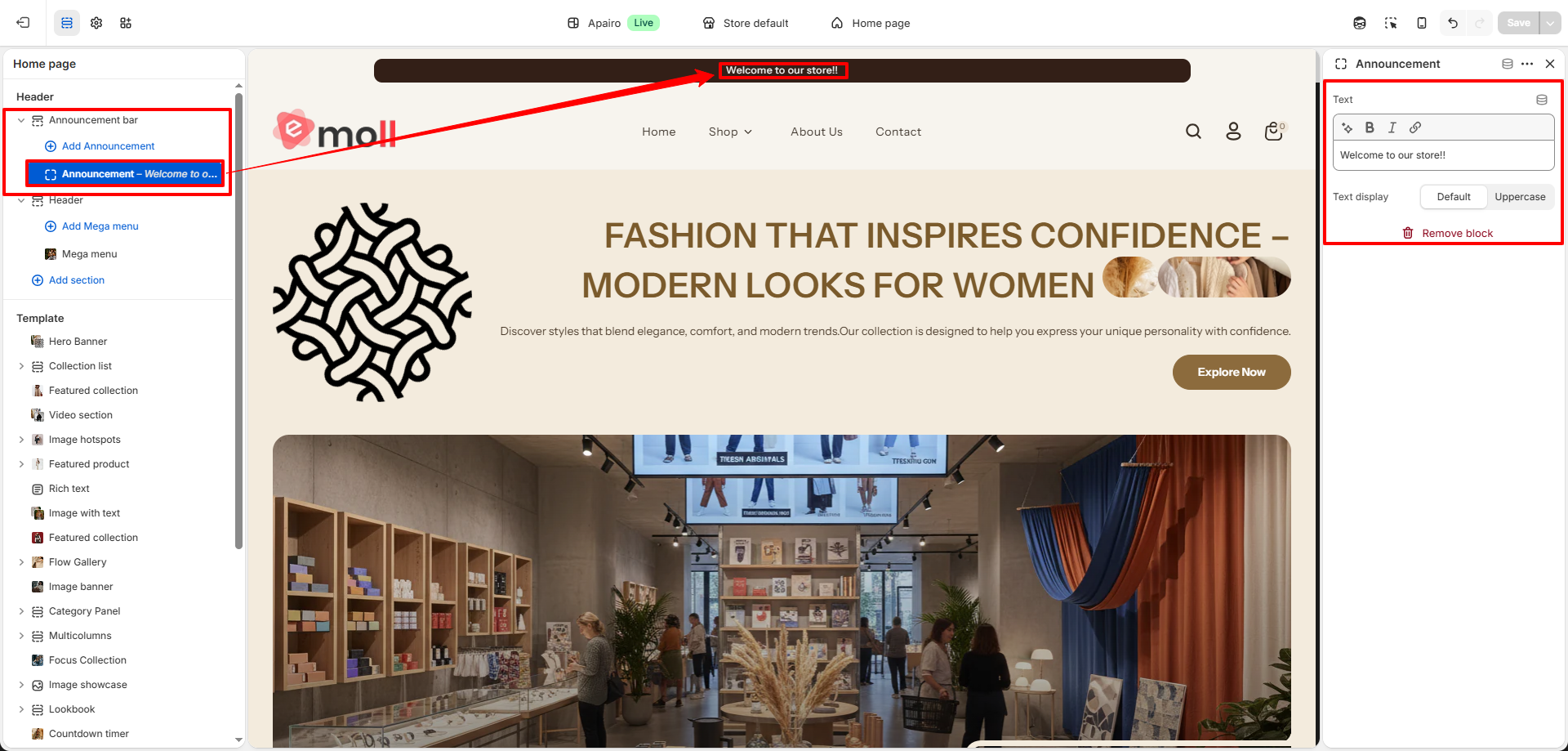
- Announcement Text: Enter the message you want to display in the announcement bar. This text will appear at the top of your store to highlight promotions, shipping updates, or important notices.
- Text Display: Control how the announcement text appears.
- Default: Displays the announcement text in normal formatting.
- Uppercase: Converts the entire announcement text to uppercase for stronger visibility.
4. Important Notes
- The slider option works when multiple announcement blocks are added.
- Marquee mode is useful for continuously displaying promotional messages.
- Keep announcement text short for better readability.
- Always click Save after updating settings.